Constructing the SFS box, Part 3
This update is going to bounce around a bit – I’m presenting the pictures in the order in which they were taken…
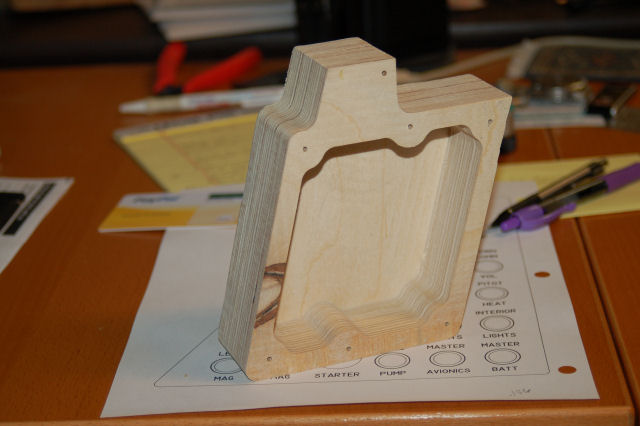
Here are the two SFS box shells right off the ShopBot:
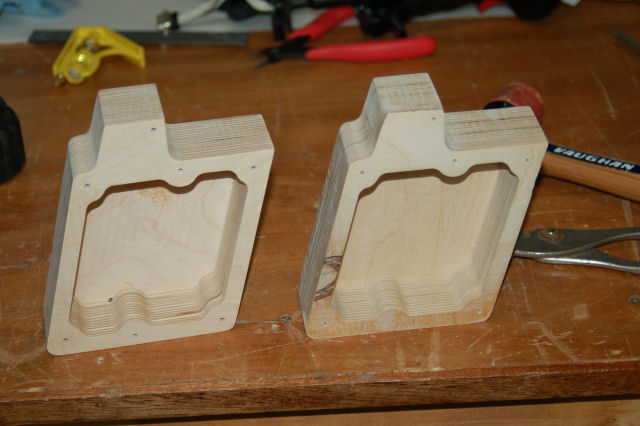
Each one as mentioned before is made from four layers of 1/2″ Baltic Birch plywood.
Space cut out for the Nose Wheel Steering and Auto Pilot disconnect paddle:
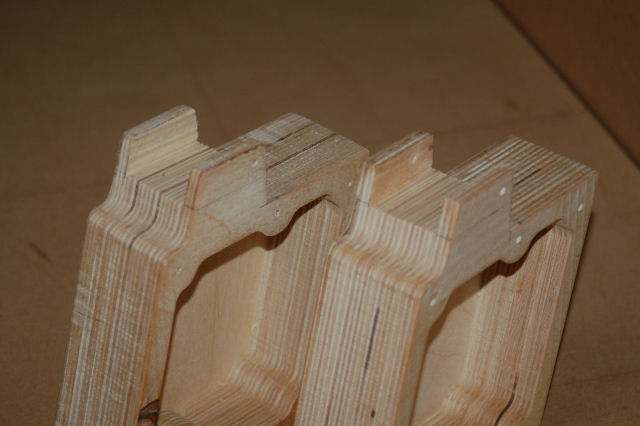
The “real” SFS box is a one piece casting that includes a 2″ mounting post that fits into the stick base in the cockpit. For this version, I had to turn my own post:
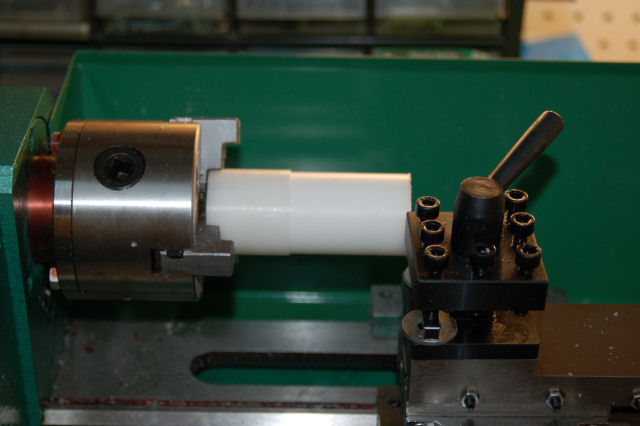
The post blank is a 4″ long section of 1.5″ diameter Delrin. Delrin is a very easy to machine material and is quite strong.
After turning it down to 1.4375″, it’s time to see if it fits…
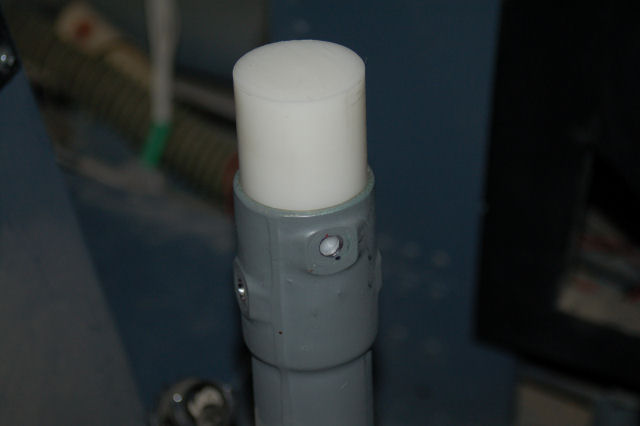
Insert Happy Dance Here. 🙂
I then cut it down to the 2″ length needed and then drilled & tapped it for 3 #10-24 screws.
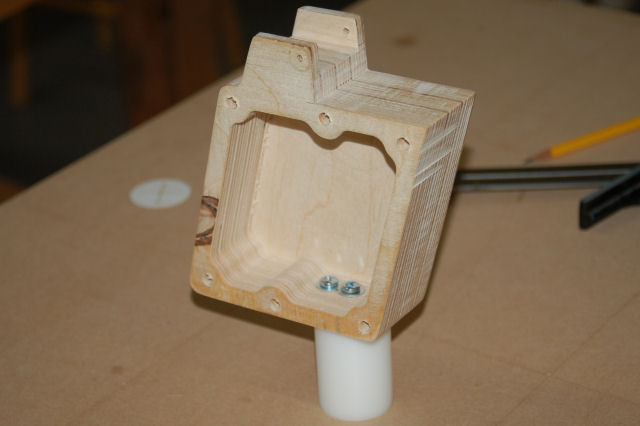
…and just one more test fit…
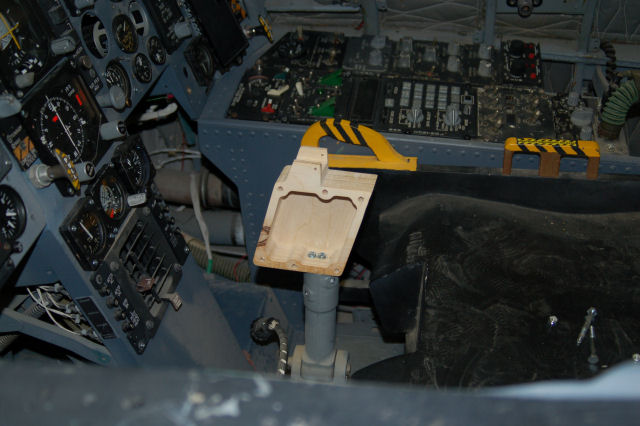
One word. Muahahahahahahaha!
The box sides came next. The sides are .062″ aluminum and I’m using #8-32 brass inserts to allow me to use machine screws with the plywood.
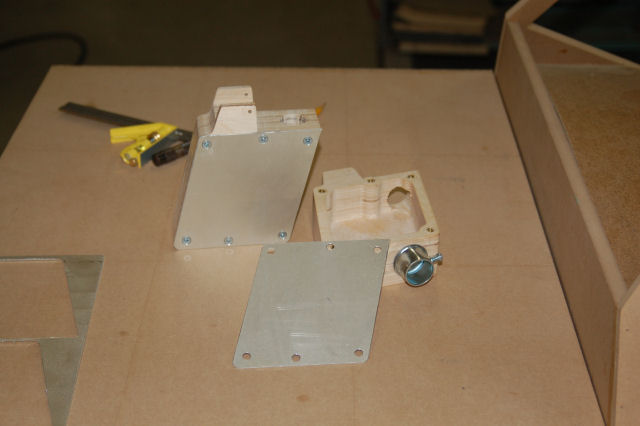
The box to the right is the one that will be in the ‘109F/X.
On a completely unrelated note…
For the poor girl in danger of loosing her Chick License:
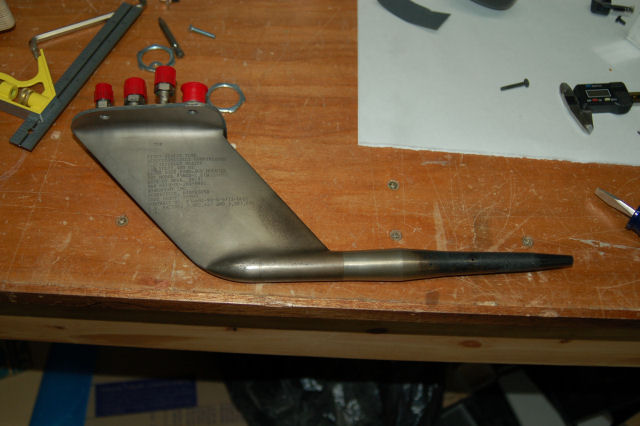
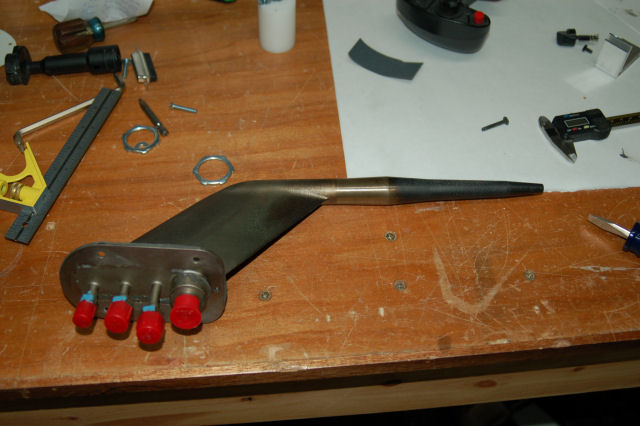
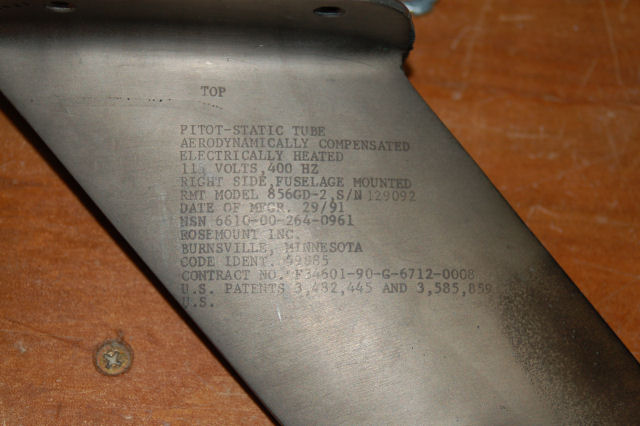
Enjoy! *laughs*
BTW, I do need to find a left-hand pitot tube. This one is for the right side only. 🙂
Thanks for reading!
Constructing the SFS box, Part 2.5
I went to my local acrylic monger yesterday and was captivated by this huge block of gray UHMW. It was _begging_ to become an SFS box.
The block was about 10 inches long, 8 inches wide and 2.5 inches thick. I needed to pare it down to 1.75″ thick first…
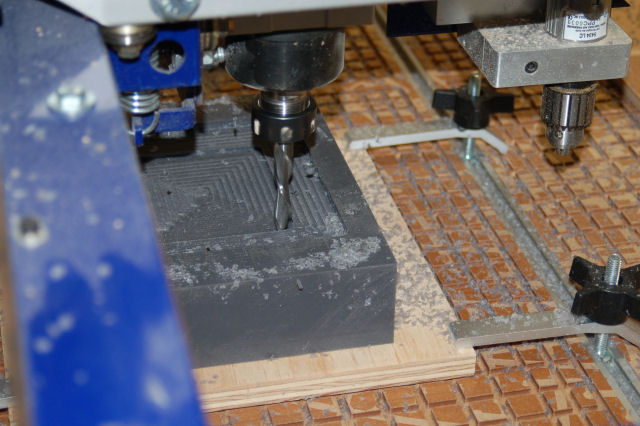
You can see the UHMW chips flying away from the cutter. I’m using a .50″ downshear cutter running at 12,000 RPM with a feed rate of 1.7in/sec. That cutter is an _animal_ in this stuff. I’ve never cut UHMW before and it was definately an experience I won’t soon forget. I’ll be cleaning up little bits of gray plastic swarf for the rest of my life I think.
Now we get on to the interior of the SFS box…
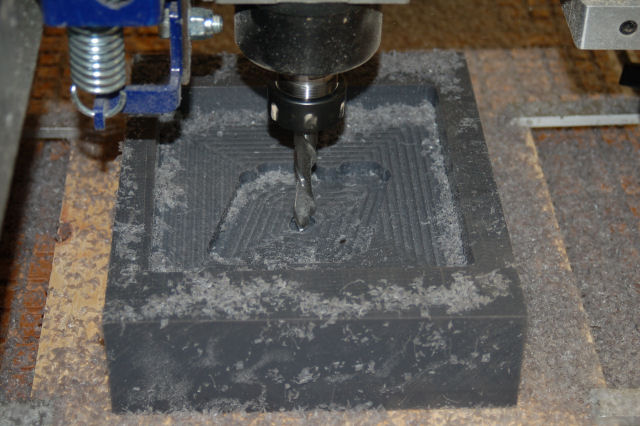
All during the cutting process, I was trying to suck up as much of the swarf as I could with a narrow shop-vac hose. The best I could do is keep the stuff from clogging the cutter…
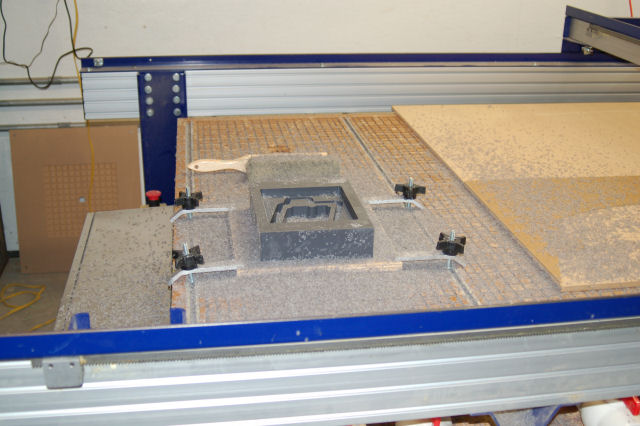
All done! What a f*cking mess. *sigh* The block of material has been glued down to a sheet of scrap plywood with 3M 77 spray adhesive. Worked great!
Here’s the end results:
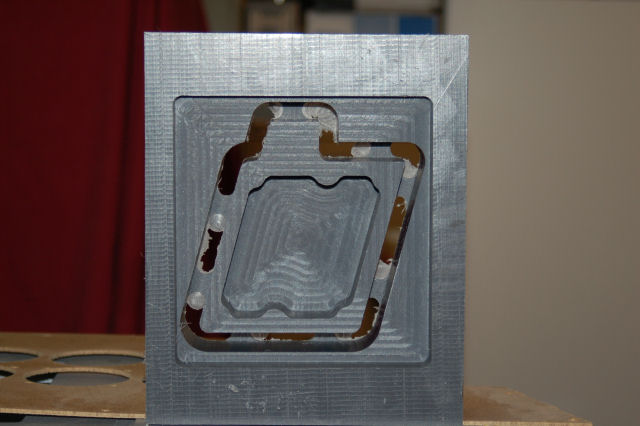
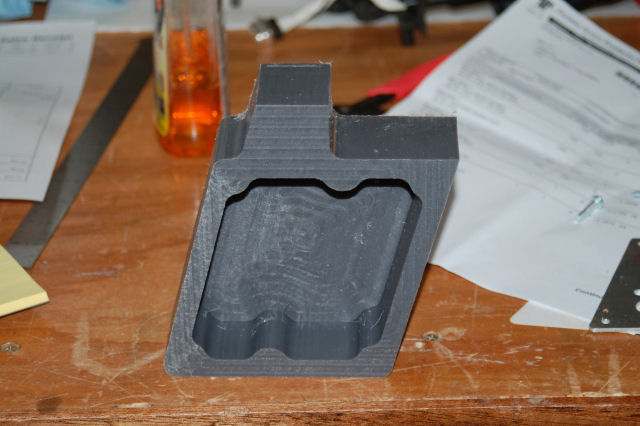
I really don’t care for the finish the cutter left on the box so this will likely be just a fun paper weight. Tomorrow I’ll get the .062″ aluminum cover plates made…
Constructing the SFS Box, Part 2
Today I cut the first SFS box core on the ShopBot:
I went ahead and deleted the additional pocket operation that would have inset the aluminum box cover. Now it will more accurately reflect the original part.
A little bit of finish work will be required to correct the bottom edge profiles where the AP/NWS disconnect lever is mounted.
Part 3, coming soon!
Constructing the SFS Box, Part 1
The F-15 uses a very interesting system for the roll and pitch control – it’s both Fly by Wire and mechanical interconnect.
If you were to pin the stick in place with your knees, you can fly the jet by pressure on the grip all by itself, just like an F-16.
The magic for this happens in the little box that the stick grip attaches to. This box is known as a Stick Force Sensor:
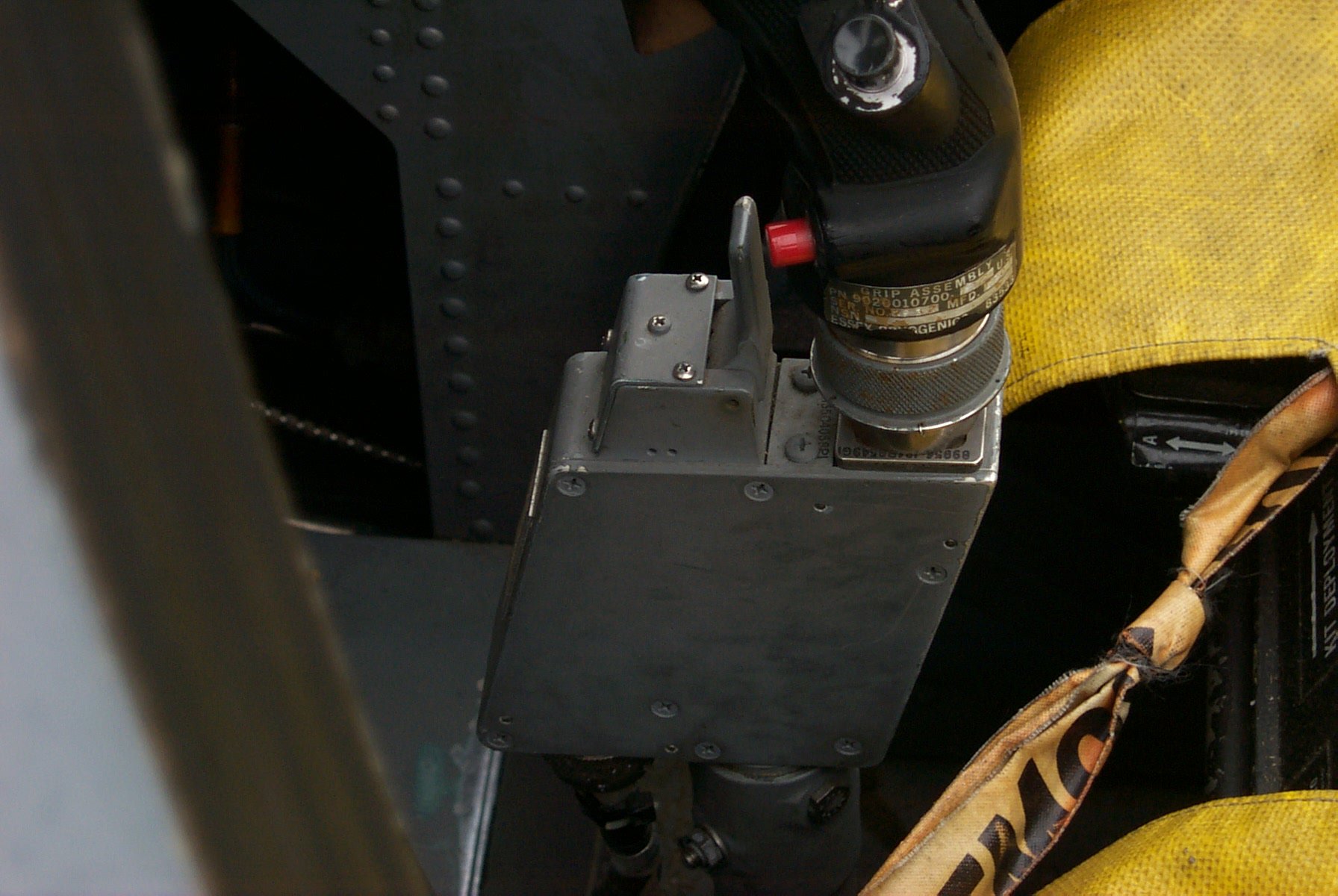
Stick Force Sensor box
This box holds a load cell beam, very similar to the one in the base that the flight grip of the F-16 plugs into. This load cell is what translates the stick force into electrical signals that the on-board computer translates into control surface movement.
The lever in front of the grip base is the Auto Pilot/Nosewheel Steering disconnect. If you’re on the ground, it disengages nose wheel steering – the red button in the picture next to the lever engages the nose wheel steering. If you’re in the air, the lever will disengage the autopilot.
Because of how important this little box is to my project, I’ve probably got more dimension data than any other part in the whole cockpit.
This week I’ll be making one on the ShopBot. The following images are renderings from the software that I use for creating tool paths for parts to be cut on the ShopBot. The base material is a 10″ x 10″ laminated plywood block, 2″ thick.
First up, the drill holes:
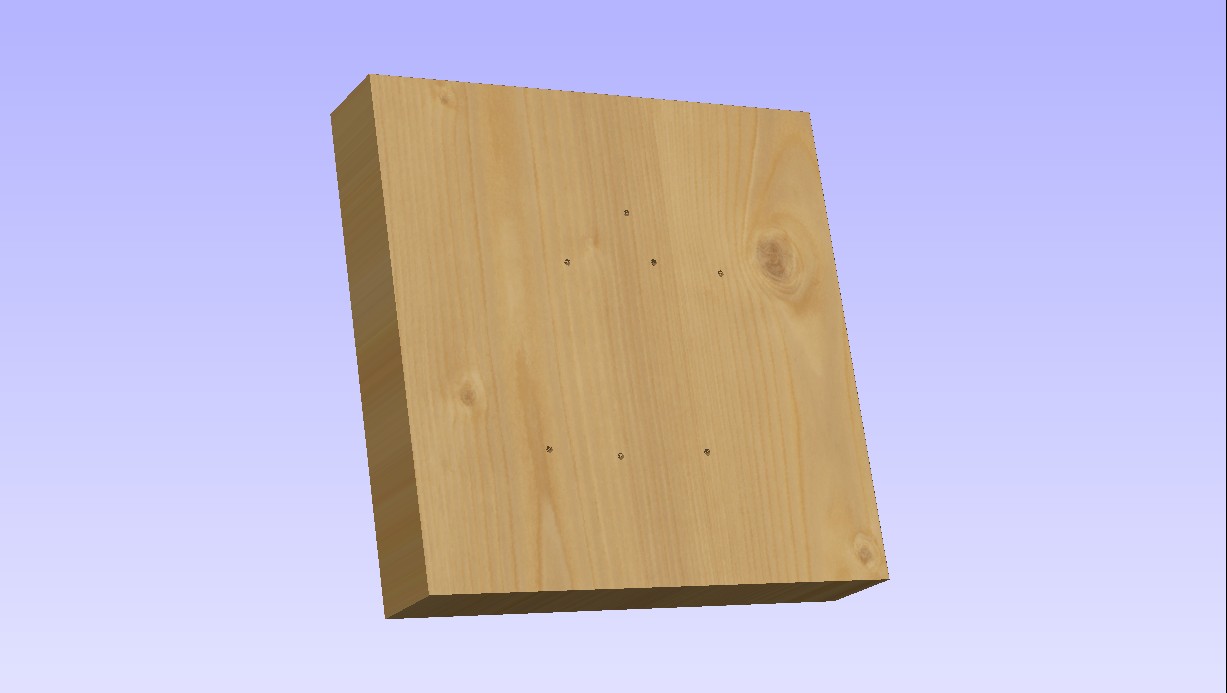
Six mounting holes and the hole for the hinge pin for the AP/NWS disconnect lever.
Now it gets machined down to 1.75″ thick:
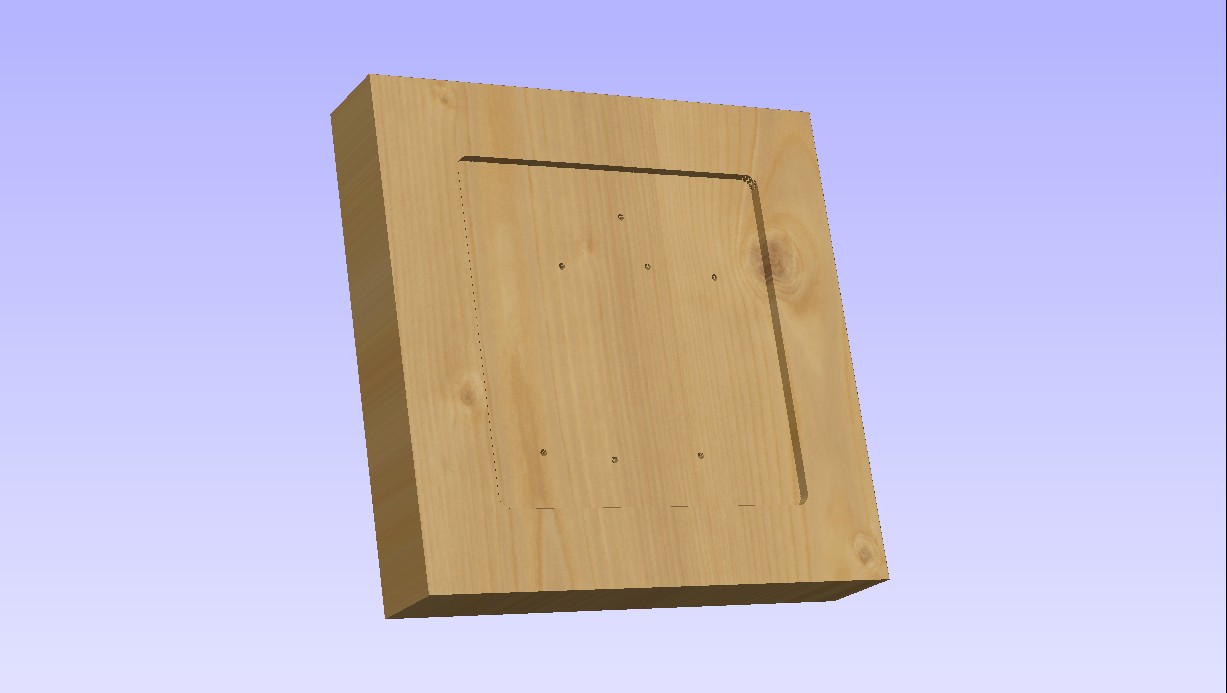
Now it gets cut down a bit more to make room for the .062″ thick aluminum box cover:
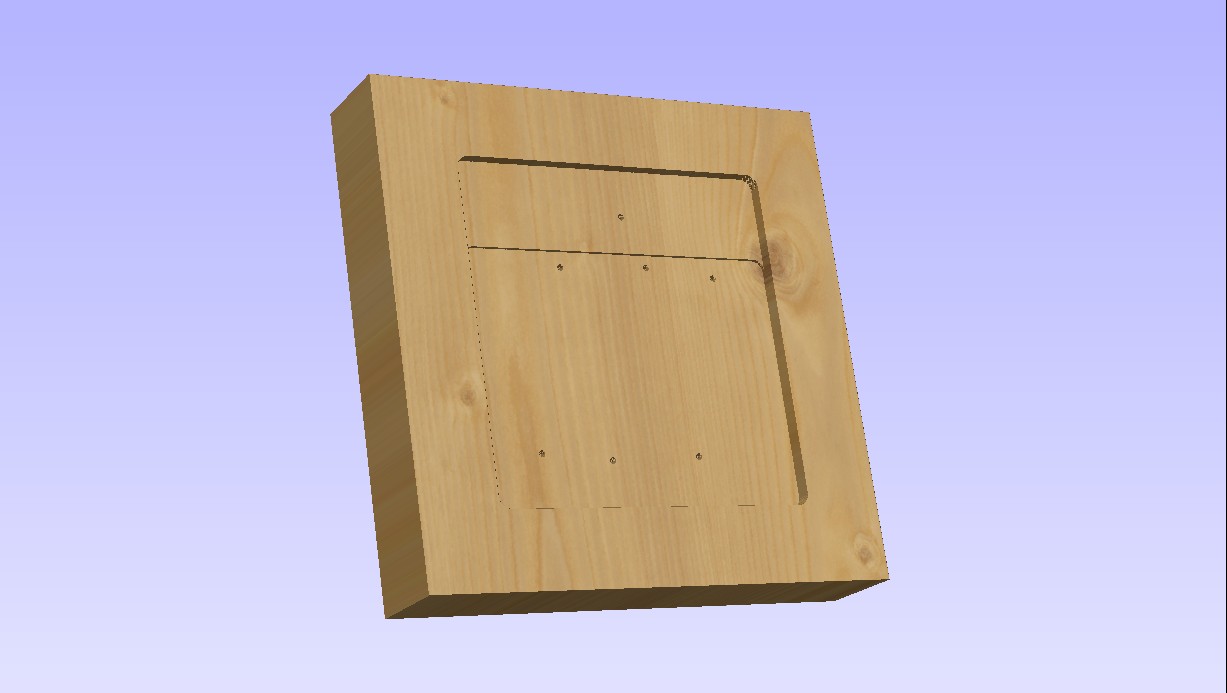
This will result in a different look to the SFS box and I may change it before I cut material.
Now we create the main interior pocket for the box:
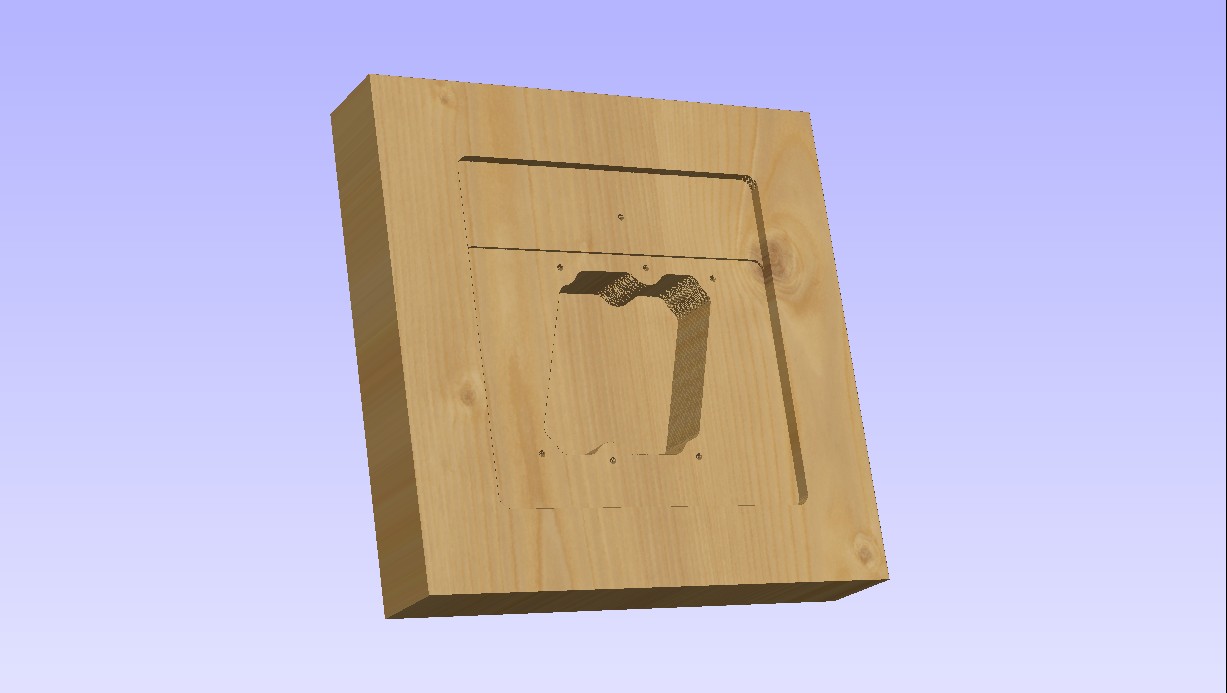
…and finally it’s time to cut the box shape out:
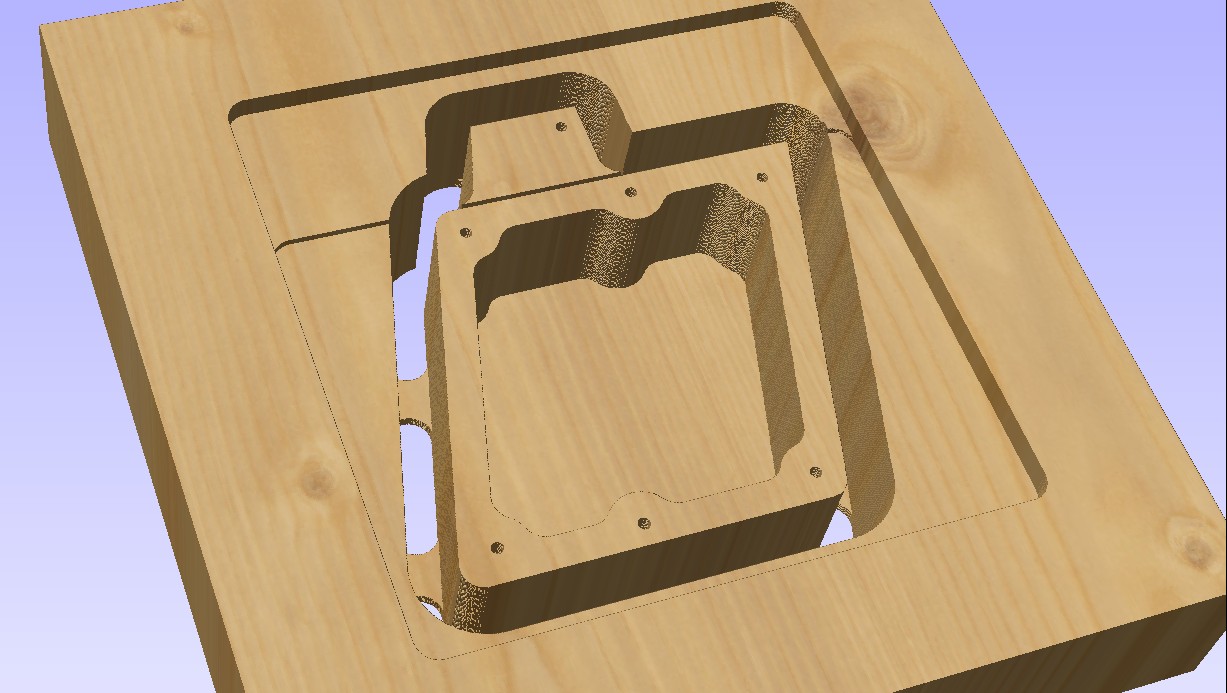
The tabs hold the box into the base material so it won’t shift during cutting. The box will be complete after the sides of the AP/NWS area are shaped to more closely resemble the original.
All the cutting will be done with a .50″ downshear end mill with a 1.75″ cutter length. (The tool itself is 4″ long)
IFF panel is finally completed!
It’s taken a LOT longer than I would have liked, but I was finally able to finish wiring the IFF panel today.
There are only two more panels to build completely from scratch before both cockpit side consoles are populated with the right panels. I’m going to return working on the DIY cockpit that I built (http://www.geneb.org/pitkit) in order to get it finished completely before I return to the F-15 once again.
Here’s the process of wiring the IFF panel:
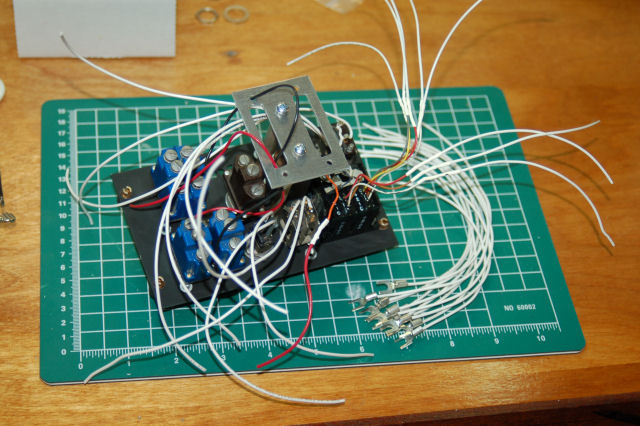
Pretty big rats nest, but it gets better, really. 🙂
EW panel completed…
After a number of delays, I finally got the EW panel completed!
Here’s what the panel assembly looks like:
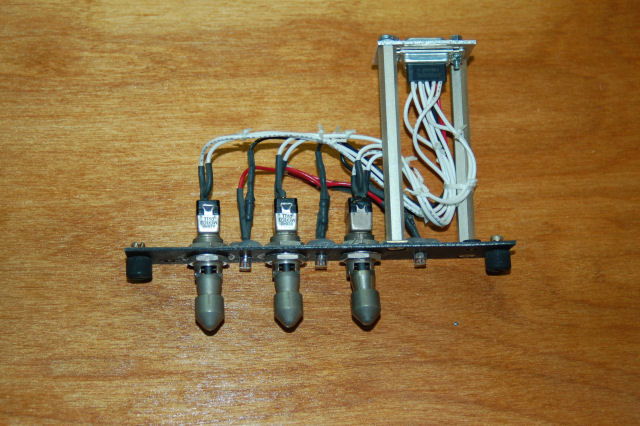
edge on view of EW panel
You’ll notice that I’ve abandoned the tiny nylon wire ties in favor of waxed lacing cord. It looks a _lot_ nicer and much more “authentic”. Waxed lacing cord is used on “real” panels in both commercial simulators and flying aircraft.
IFF & EW panel work
This past week has seen some great progress on the panel front.
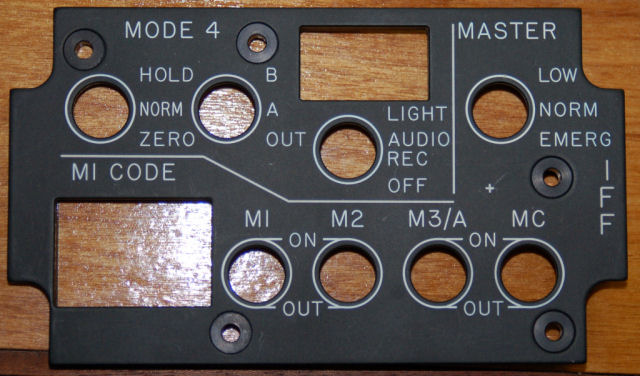
First up is the nearly completed IFF panel. After breaking a few tools due to feeding too fast, I was finally able to get the parts for the IFF mounting plate cut:
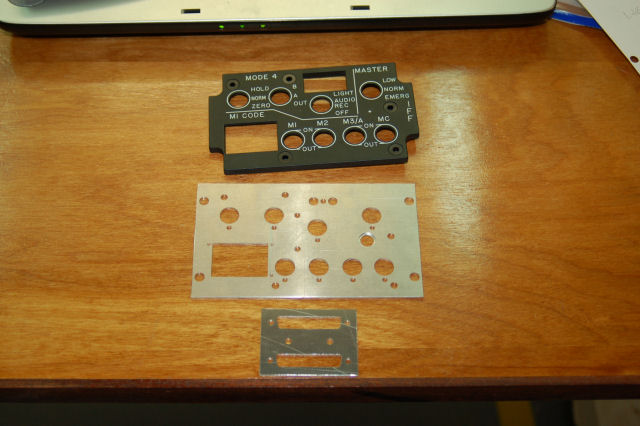
Edge-lit panel, main mounting plate and the connector mounting plate.
Birth of an indicator II
Through some further experimenting, the design of the REPLY indicator was changed a little bit. It now uses two .125″ diffuser layers and a single .062″ Rowmark lettering layer. This results in a MUCH better visual result, with no hot spots or faded areas in the indicator.
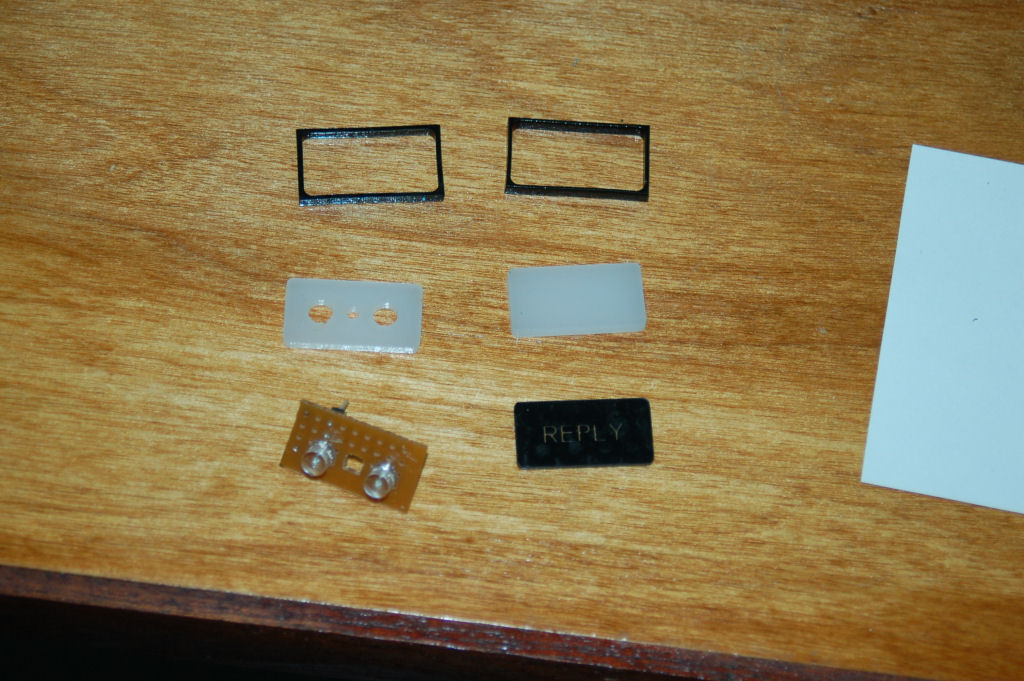
The parts that make up the REPLY indicator
Only the back diffusion layer has holes cut out for the LEDs. The LEDs themselves are shaped like flat top cylinders instead of the rounded top you normally see with LEDs. The two small black frames were made to more closely emulate the look of the original indicator.
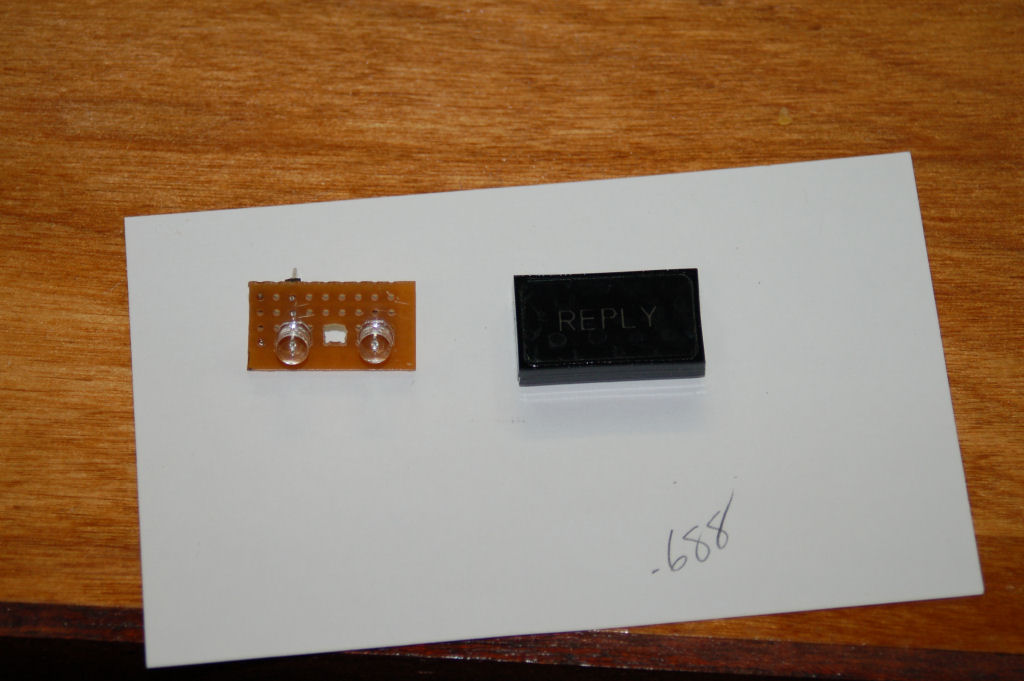
The assembled REPLY indicator next to the LED circuit board.
The two LEDs used are 3.0v 180 degree FOV green LEDs. These LEDs can be purchased from here: http://myworld.ebay.com/cece718.
Here’s a short video that shows the indicator in action. Note that the camera I use was pretty much overwhelmed by the light from the LEDs. It’s really not that bright in person.
httpv://www.youtube.com/watch?v=BK9-v67XUFw
Wiring up the FUEL panel
Some 2 years ago, I finished the main construction for the new FUEL panel in the simulator. Other things came up and I never got back to finishing the panel. As of today, it’s finally finished.
The wiring needed to be done and I didn’t want to mickey mouse the process. I created a little 25 hole template that would allow me to cut the wiring to the right length for mounting into the DB25 connector I’d chosen for this panel.
httpv://www.youtube.com/watch?v=2-pumNCcbEU
Birth of an indicator
The new panel that I’m working on is for the IFF control panel in the F-15. Since I have a “real” edge-lit panel for this, I only need to make the metal mounting plate and the “REPLY” indicator that it needs.
Here’s what the panel itself looks like:
IFF Control Panel